Skoolbo
0
Skoolbo is a free downloadable program for both Macs and PCs. There are also apps available for IOS and Android devices. Skoolbo is essentially a literacy and numeracy program designed for 4 – 10 year olds to practice their core literacy and numeracy skills. This is done through a 3D world where the progress through this world is determined by students successfully answering questions. The questions focus on the following areas:-
Literacy
- Phonics
- Fluency
- Vocabulary
- Comprehension
- Grammar
- Spelling
Numeracy
- Number Development
- Addition
- Subtraction
- Number Patterns
- Time
- Multiplication
- Division
Each student is required to sit pre-tests on Reading and Numeracy to work out the difficulty level for the student, this is continually assessed and the difficulty adjusted when needed. Students receive ‘Bo’ coins for answering questions successfully which can be used to purchase rewards such as racing worlds, toys and other items.
Below is a video of Skoolbo in action.
Pin It
World Education Games
0
The World Education Games is a world wide event, where students from around the world compete with each other in a World Maths, Literacy and Science days. Each of the different learning strands uses well known resources such as Mathletics, Spellodrome and IntoScience to power each area. Registered students can practice their skills for free leading up to the event. The competition is also free. There are prizes available as well. Unicef have teamed up with the World Education Games to promote with schools to raise money towards a ‘School in a box’. This program provides all the essentials a teacher would need for their classroom and students in areas of disaster, crisis or poverty.
http://www.worldeducationgames.com
Information on the ‘School in a box’ fundraiser.
Pin It
Splash
0
Splash is ABC Australia’s new Educational Website that is linked to the National Curriculum. The site is for Teachers, Students and Parents. It contains articles, video, audio and games. The content is separated into three areas Early Primary (Foundation – Year 3), Upper Primary (Years 4 -6) and Secondary (Years 7 – 10). There are four subject areas to choose from English, Maths, Science and History. You can filter your searches by year level, subject and media type. There is a Parent’s area with articles from how to support your child with reading to transitioning from primary to high school. The Teacher’s area contains articles to support teachers with the Digital Age to developing your personal learning network and many more. This website is well set out and easy to use and hopes to be even better as more and more content is added over time. The YouTube clip below explains a bit more about Splash.
murally
0
Murally as their slogan says, is a whiteboard on steroids. This web 2.0 tool is still in beta, but is free to use. Murally is like a giant pinboard that grows with the digital content you add to it. Yo can drag and drop files, photos and video and collaborate with others. A really cool feature is the ability to create a presentation of your content by marquee selecting the content you want on each page. Please find below a video demonstration.
Pin ItTargeting Maths 3
0
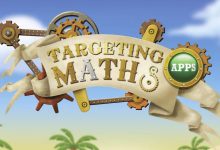
Targeting Maths 3 is brought to you by the people that created Reading Eggs and the Targeting Maths resource books, that Australian teachers would be familiar with. This app is not cheap at $9.49, but well worth the money when you consider the depth of resources and activities on offer.
This app can be used by a multiple of children or students at a year 3 level on the same iPad, because each user has their own account which keeps track of their individual achievements and the progress they have made. Students can earn badges as they progress through the app.
There is a training section which covers the Maths topics of Number, Addition, Subtraction, Multiplication, Division, Fractions, Shapes and Patterns, Money and Data and Measurement. There are 81 question sets that support the training and a scratch board to assist with working problem out and a dictionary to assist with terms.
There is a multiplayer game where up to 4 players can play against each other in a game of speed and skill.
The timed section is there to help students become more efficient at recalling their number facts in addition, subtraction, multiplication and division.
Students earn tokens that can be used to play one of two games, Exploding Mice or Robo-Juggle.
This app is the first in a series that will eventually support a greater range of year levels. I can thoroughly recommend this app as I bought it for my daughter who is in year 3. She likes using it and the questions and content are familiar to her as it is well aligned with the curriculum she has experienced at school.
https://itunes.apple.com/au/app/targeting-maths-3/id580391559?mt=8
Pin It
ABC Catalyst: SPATIAL PROCESSING DISORDER
0Dr Maryanne Demasi enters the sonic world of Spatial Processing Disorder and experiences what it’s like when you can’t distinguish background noise from targeted speech. ABC Catalyst
Follow the link to watch a video of the story or read the transcript
http://www.abc.net.au/catalyst/stories/3623404.htm
Boy attends school via robot
0
A young boy with extreme allergies sends a telepresence robot to school in his stead.
Read the full story… http://www.cnet.com.au/bubble-boy-attends-school-via-robot-339341881.htm

Classroom Blogs to Follow: Mrs. Yollis’ Classroom Blog
1This is the first Classroom Blog I am featuring on Primary Edutech and is one I think you should follow. This blog was one of the first class blogs to inspire me to go on and produce my own classroom blog.
Mrs Linda Yollis is the teacher who runs the blog. She has a wealth of experience and vision for using a classroom blog effectively and building great relationships with other classes around the world. You can find out more about Linda Yollis by going to her ‘Meet Mrs. Yollis‘ page.
This blog has won many awards, the most recent being the Edublog awards 2011 for ‘Best class blog’ and the ‘Most influential blog post’. The posts on this classroom blog provide some fantastic ideas and great examples of how to use a classroom blog effectively. Many of the posts are related to the interactions Mrs Yollis’ class has with their Quad Blogging buddies. Video and photos are used very effectively to communicate each post.
Be sure to check out the following great ideas and resources….
- Mrs Yollis’ idea for including more family involvement in your classroom blog via a Family Blogging Month.
- Look at the great video created by some of Mrs Yollis’ students on ‘How to make a quality comment‘.
- Learn some simple HTML code.
http://yollisclassblog.blogspot.com.au
iPad Today: Back to School Episode
0
Below is a YouTube clip of my favourite Podcast, iPad Today from the Twit network hosted by Leo Laporte and Sarah Lane. In this episode they explore apps that are useful for students going back to school, but all of these apps are useful for teachers as well. Apps that are highlighted include Evernote, Learnist, Drafts and ThinkBook.


Kizoa is my favourite web 2.0 photo presentation tool. It has a lot of great features that I find helpful as a blogger. Kizoa allows you to edit photos, create fantastic slideshows, add effects, add transitions or create collages. Kizoa has many ways to share your creations or embed them into your blog. I have used Kizoa for two years now and have found it to be an excellent tool to share multiple photos on my classroom blog. The best feature is the unlimited storage of photos, if you purchase the Premium account (US$2.49 per month). This is an attractive feature, particularly for those with limited blog storage. It is also a way of having an online backup of your photos. The free version gives you 1GB of storage and access to the free elements for slideshows, collages and photo-editing. The free version also allows you to share your creations through email or facebook. A good way to look at Kizoa and decide if it is worth going Premium. I have included below a YouTube clip that briefly explores Kizoa’s features.


Recent Comments